
Site setup
Theme Options
Every tab in EstatePoint → Theme Options, what each setting controls, and what it does not.
Theme Options is at EstatePoint → Theme Options. It holds brand-level settings and the bindings between the theme and your Elementor templates. It is deliberately not a page builder — layout and content live in Elementor.
Tabs: General, Property, Blog, License, Currency & FX. The last two are contributed by the license layer and EstatePoint Core.
General
The site-wide brand tab. Values here print as CSS custom properties on every page, so widgets and templates inherit them automatically.
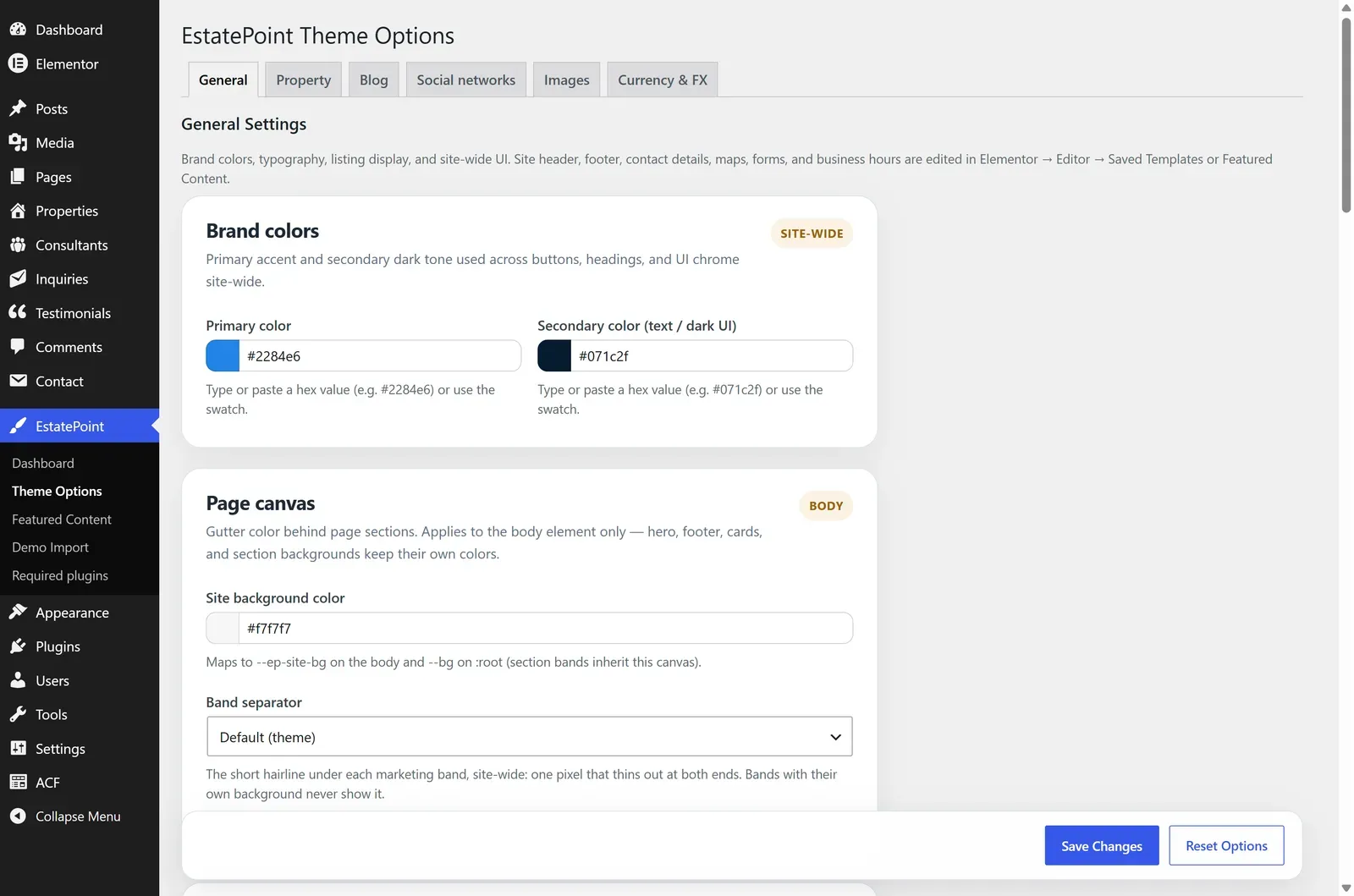
| Card | Settings | Notes |
|---|---|---|
| Brand colors | Primary color; Secondary color (text / dark UI) | Primary is the single source of truth for primary buttons and accents site-wide |
| Login screen | Login logo | Shown on wp-login.php; falls back to your header logo when empty |
| Page canvas | Site background color | The body / gutter color behind content |
| Text & borders | Body text; Muted text; Subtle / tertiary text; Borders & dividers | Semantic text and line tokens |
| Typography | Body font family; Heading font family | Inter, Instrument Sans, Plus Jakarta Sans, Manrope, DM Sans, Poppins |
| Listing location | Location display; Location separator | How location reads on cards and titles — City only, Neighborhood + city, or Full location; comma or middle dot |
| Property archive browse | Listings per page | Archive pagination default (3–24); an Elementor archive widget can override it per template |
| Back to top | Show back to top button | Floating scroll-to-top control |
| Settings backup | Export / import JSON | See below |
Settings backup
Export settings — tick the groups to include (Brand & canvas, Typography, Listing display & UI, and the advanced Header / footer slot binding and Property layout manifests) and press Download JSON.
Import settings — upload the file, review the preview table showing current versus imported values, then Apply import with either Merge (recommended) or Replace exported groups on this site. Leave Skip template post IDs checked when moving between sites.
The backup covers settings only — never pages, templates, menus, or media.
Property
Controls how listings are routed to templates and how the archive and listing pages behave. What you see depends on who owns the layout.
Layout authority. When Elementor owns the property archive and single layouts — because Elementor Pro Theme Builder is active, or because your library templates declare the matching content slots (which the demo kit does) — the structural editors are replaced by binding cards. A status banner at the top of the tab tells you which mode you are in.
Binding-card mode (the usual case after demo import)
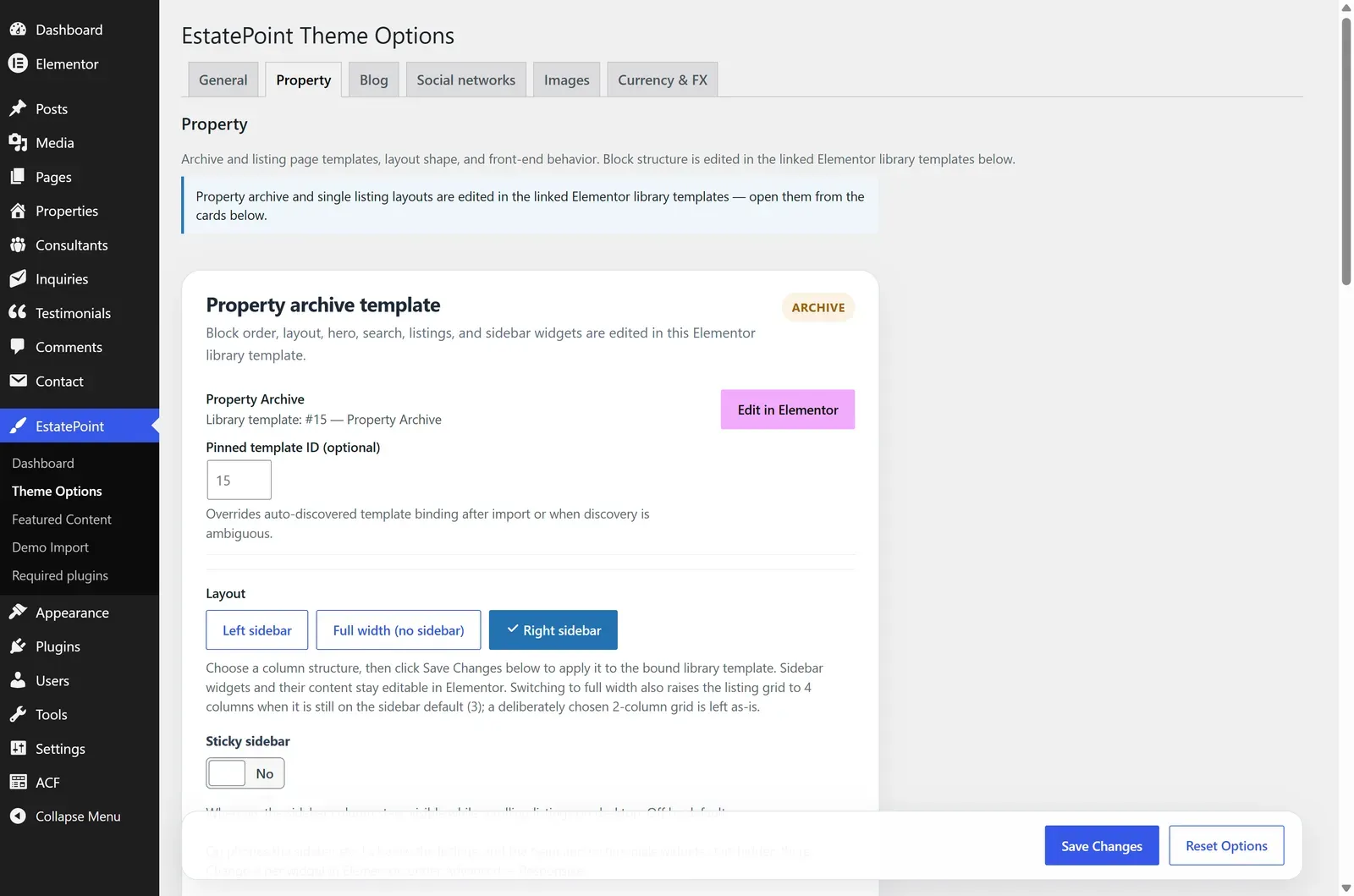
| Card | What you can do |
|---|---|
| Property archive template | See the bound library template, choose Left sidebar / Full width (no sidebar) / Right sidebar, toggle Sticky sidebar, Edit in Elementor, Restore default template, optionally pin a template ID |
| Property Detail | One row for the bound listing template, with Edit in Elementor and Restore default template, plus Content layout and Gallery placement — see Single property layouts |
| Property single behavior | Sticky sidebar, Mobile contact bar |
Restore default template re-imports the bundled kit version of that template and discards your edits to it. It is the recovery path when a template is broken beyond repair.
Manifest mode (legacy installs without declared slots)
Older sites that never imported the kit templates get editable block lists instead — main bands and sidebar widgets for the property archive and for the blog. Saving compiles that structure into the linked library template. Available blocks mirror the Elementor widget set — breadcrumb, header, gallery, description, overview, amenities, floor plans, address & map, nearby, energy, downloads, inquiry form, related listings, and the sidebar cards.
Listing pages are never compiled from Theme Options, on any install: their layout is resolved per listing at render time, so the only structure editor for a listing page is Elementor itself.
Blog
The same model as Property, for the blog archive and single post: a binding card per template with a layout preset and Sticky sidebar when Elementor owns the layout, or editable block lists on legacy installs.
Currency & FX
Contributed by EstatePoint Core. Sets the Base currency used internally so price filters and sorting compare correctly across listings, the Exchange rates table (with a read-only cross-rates matrix), and Automatic updates with a daily sync and a Refresh rates now button.
Full detail in Pricing & currencies.
License
Purchase-code activation for updates and demo import. See License activation.
Saving and resetting
- Save Changes applies the current tab and returns you to it.
- Reset Options clears the current tab back to factory defaults. It is available on General and Currency & FX only, and asks for confirmation first.
- Locked layout tabs have no Save bar for structure — the template is the source of truth — but routing and behavior settings still save normally.
What is not in Theme Options
These moved into Elementor and Featured Content on purpose, so there is one owner per setting:
| Looking for | It lives in |
|---|---|
| Header logo, navigation, phone, CTA | The bound header library template |
| Footer columns, contact block, copyright | The bound footer library template |
| Contact details, office map, business hours | The Contact, Office Map, and Footer widgets |
| Homepage sections | The front page, edited with Elementor |
| Which listings/posts/consultants are pinned | EstatePoint → Featured Content |
| Inquiry routing, listing expiry, open house | Settings → General |