
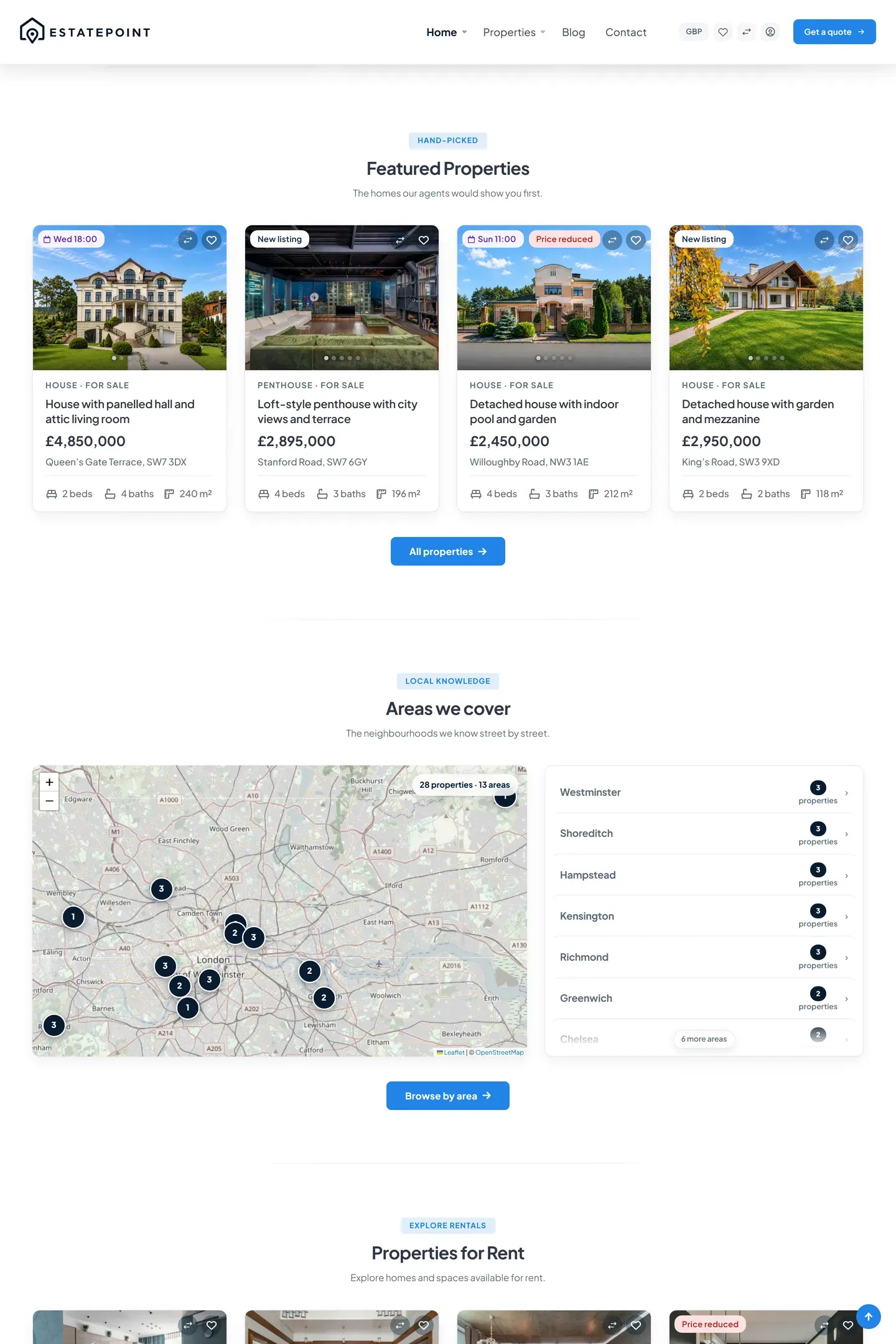
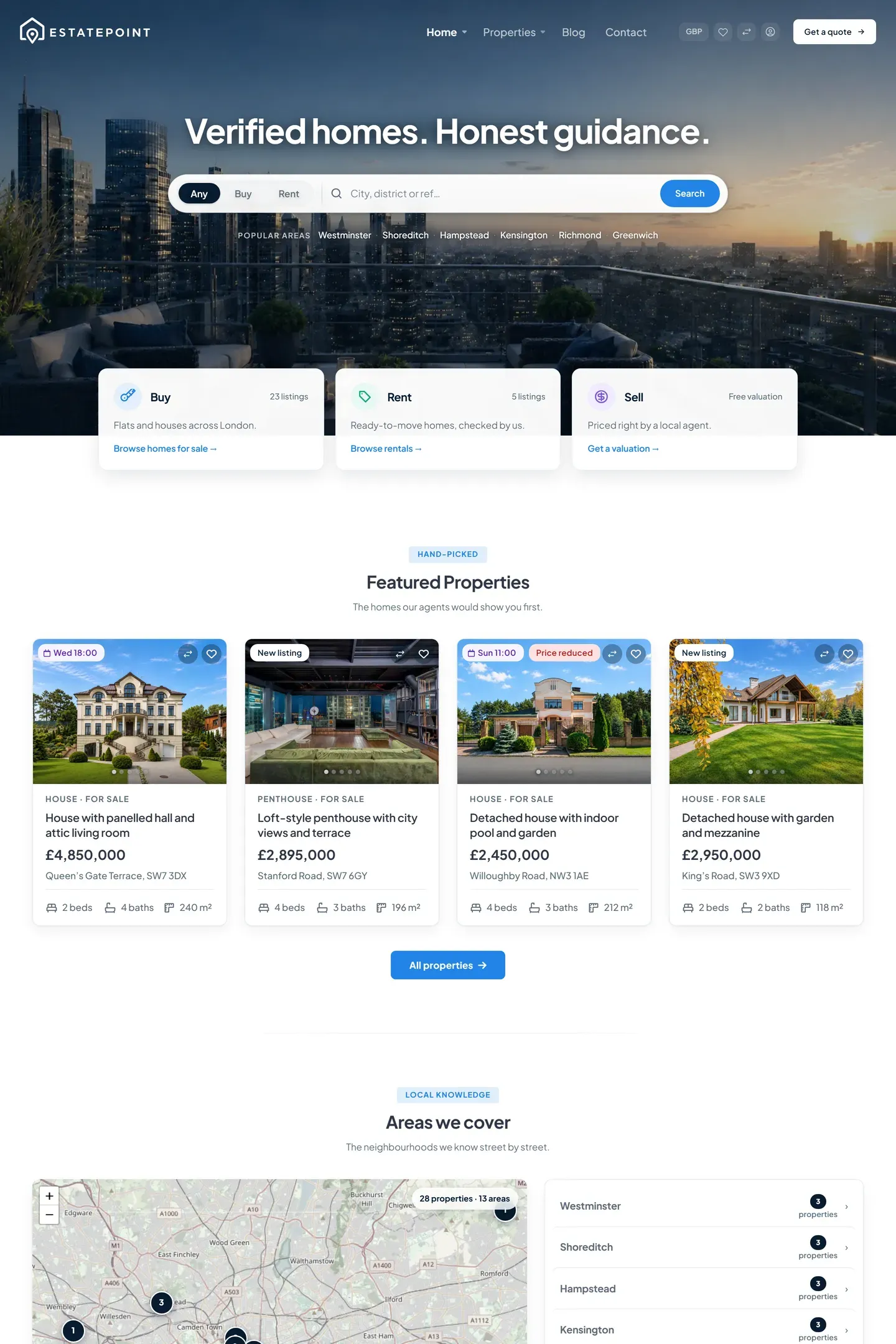
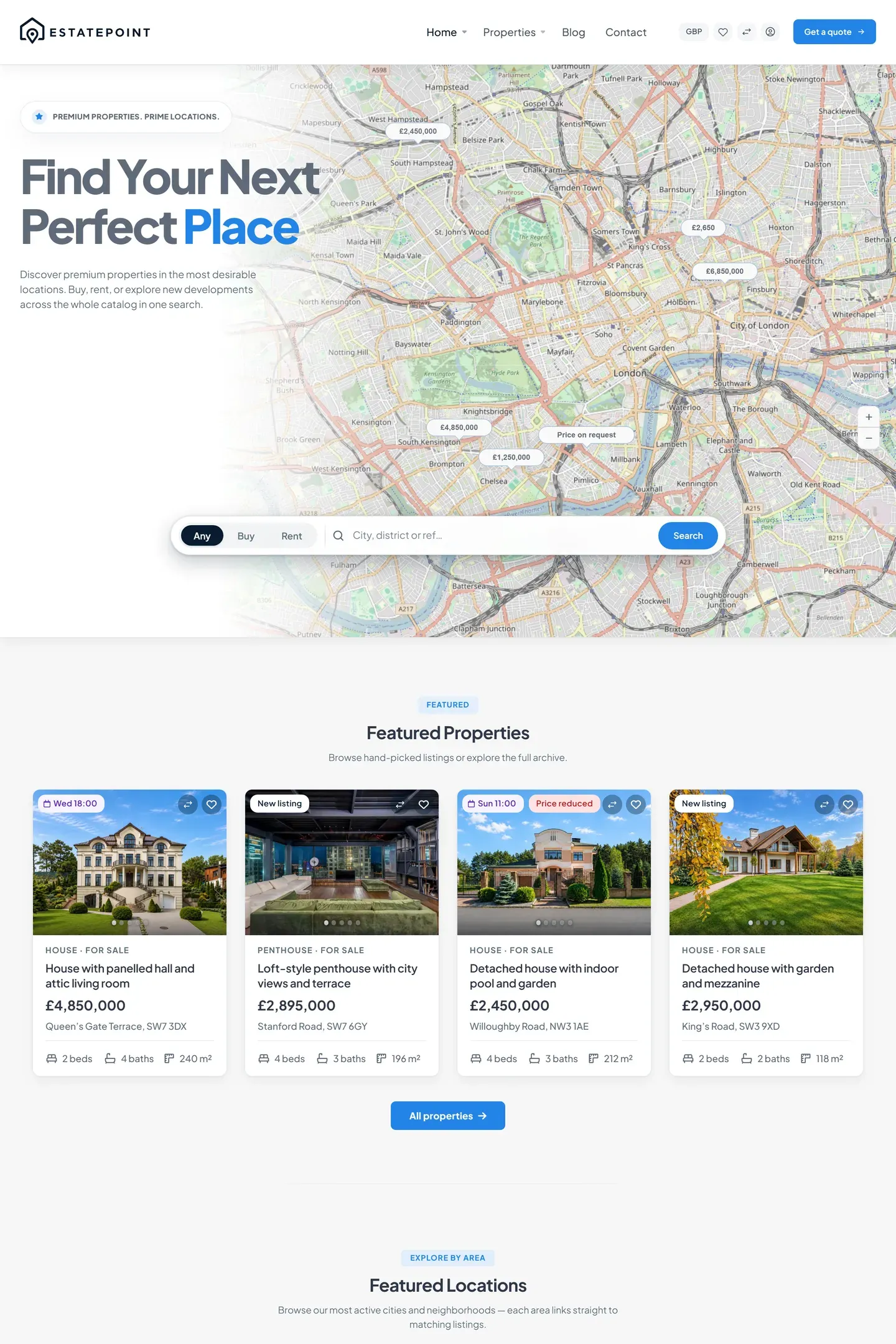

Real estate WordPress theme

The real estate site your clients expect, with the listings engine built in.

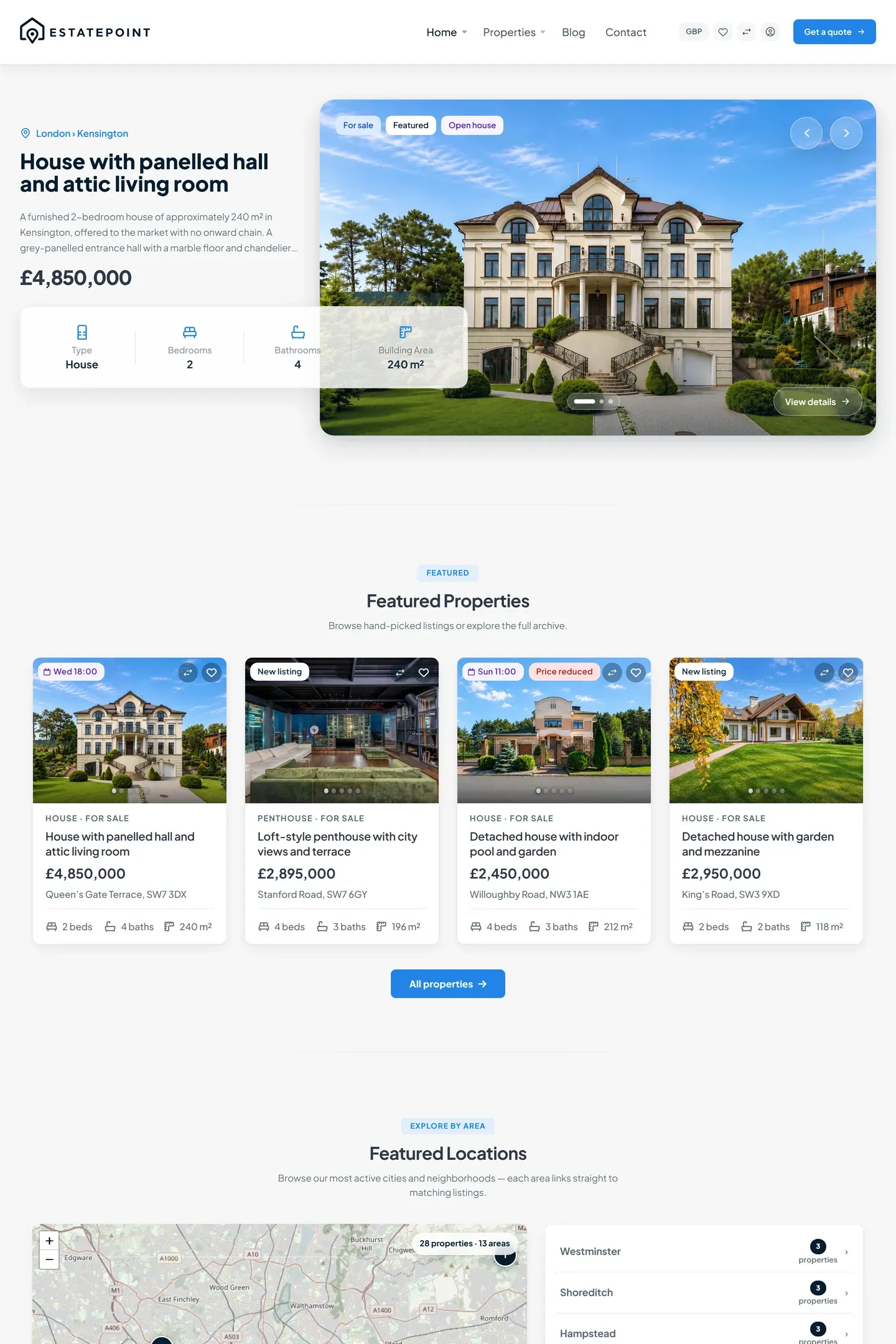
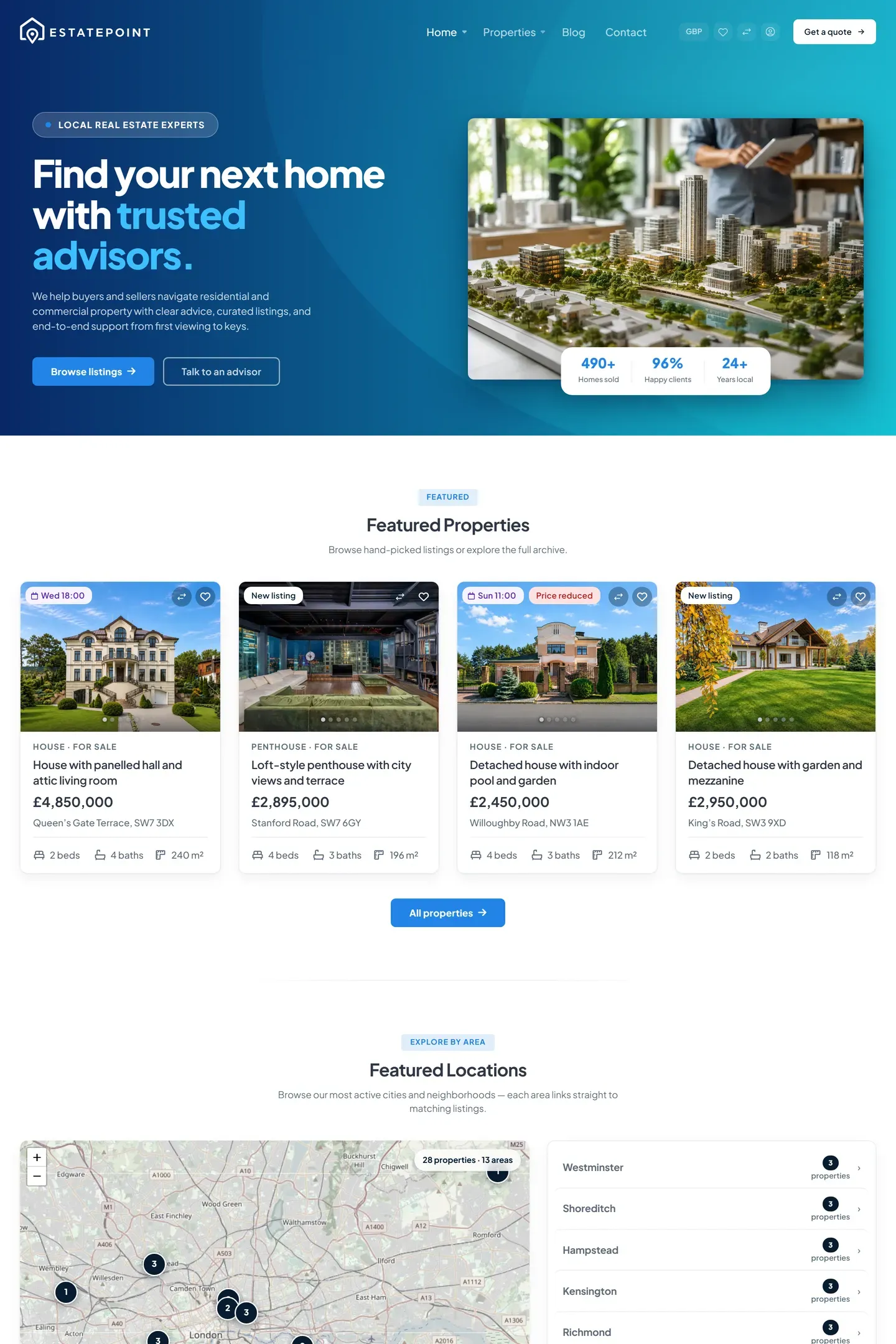
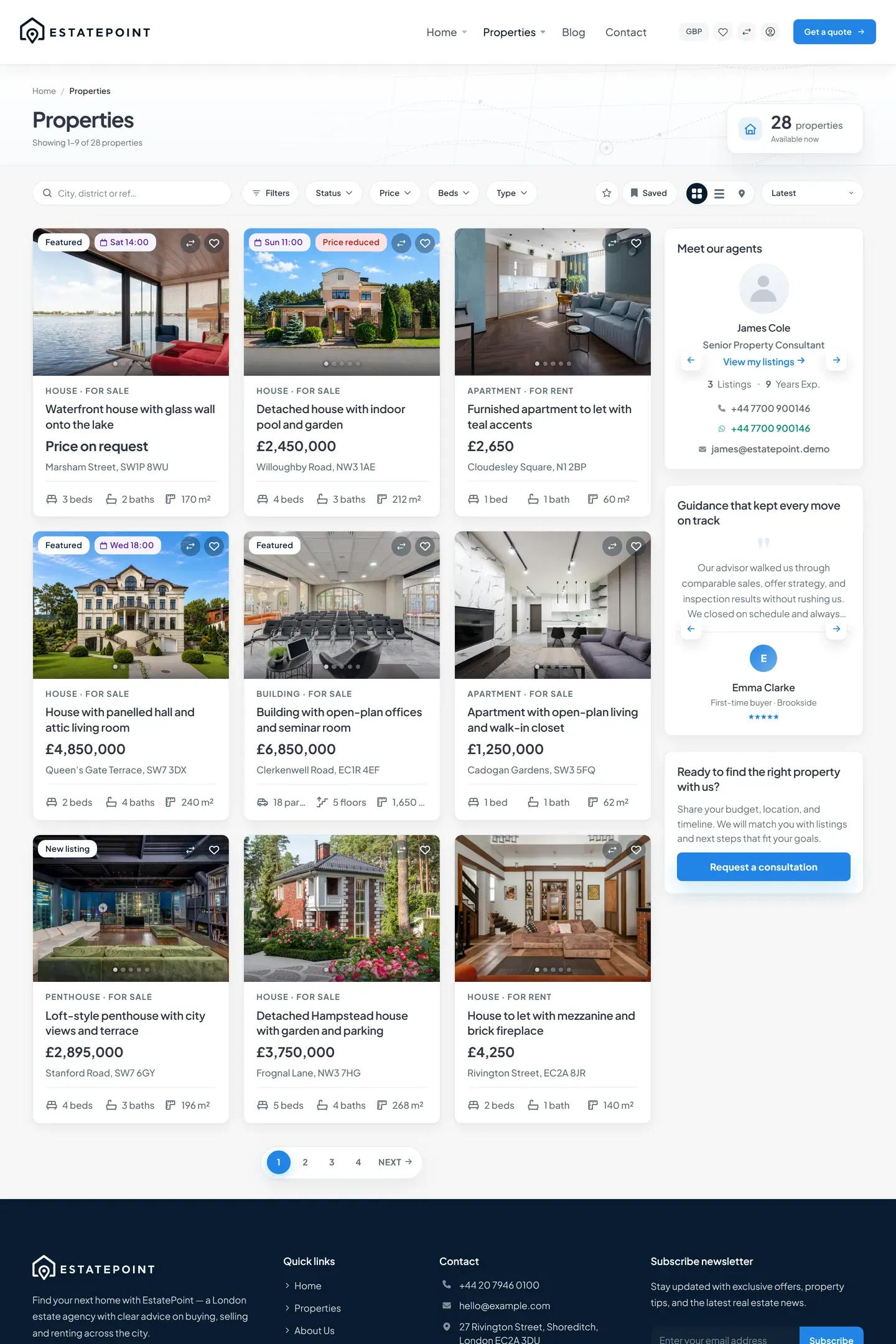
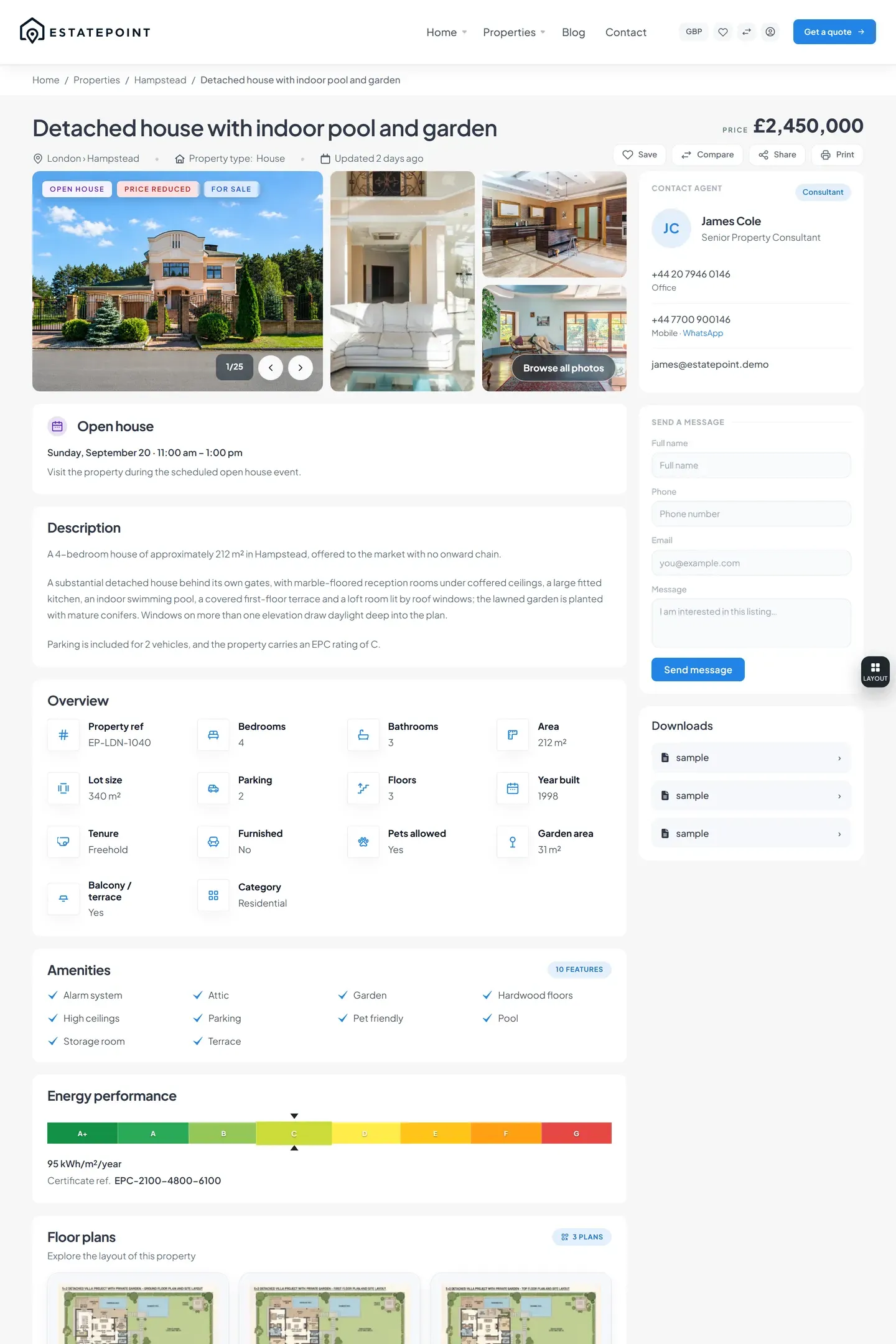
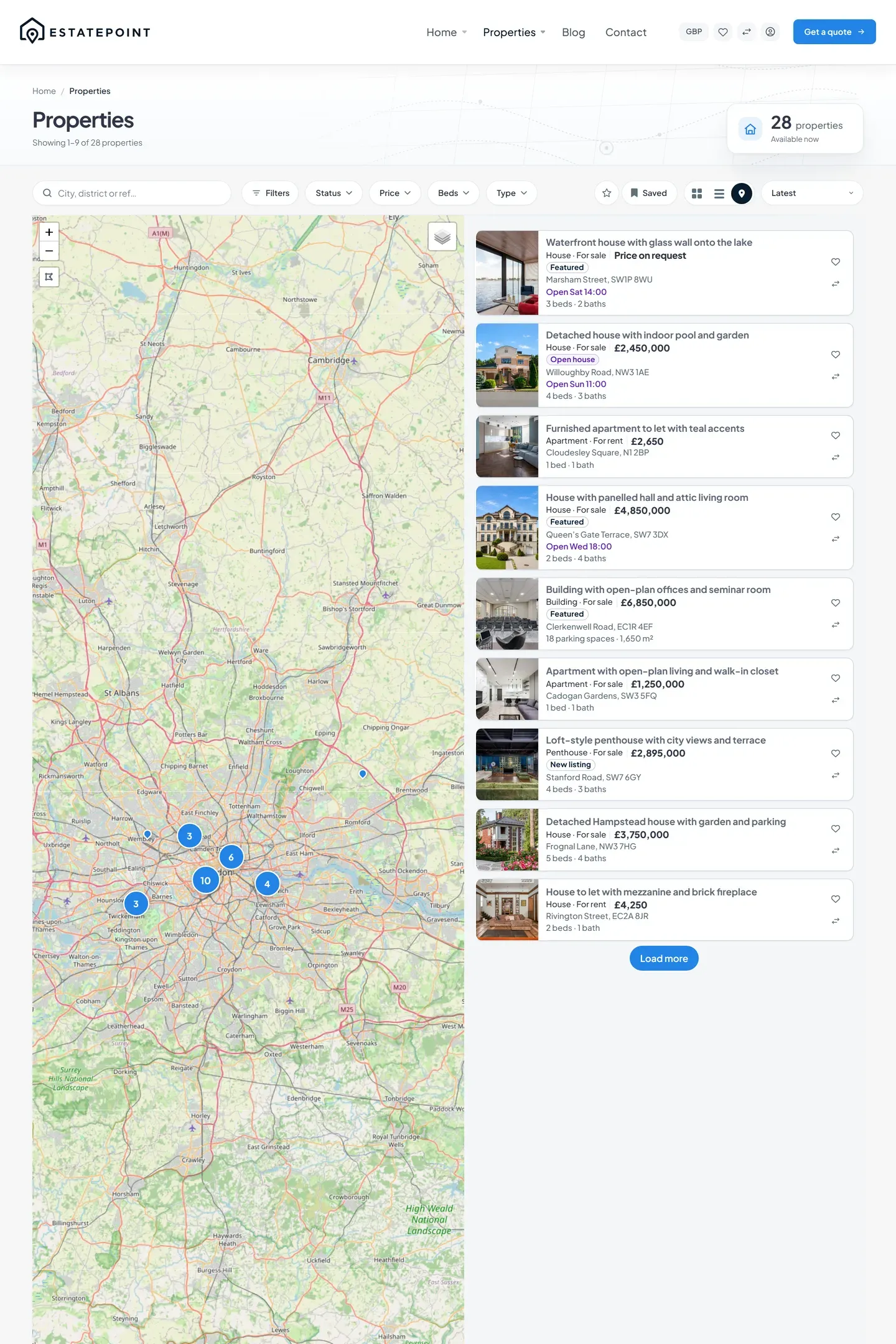
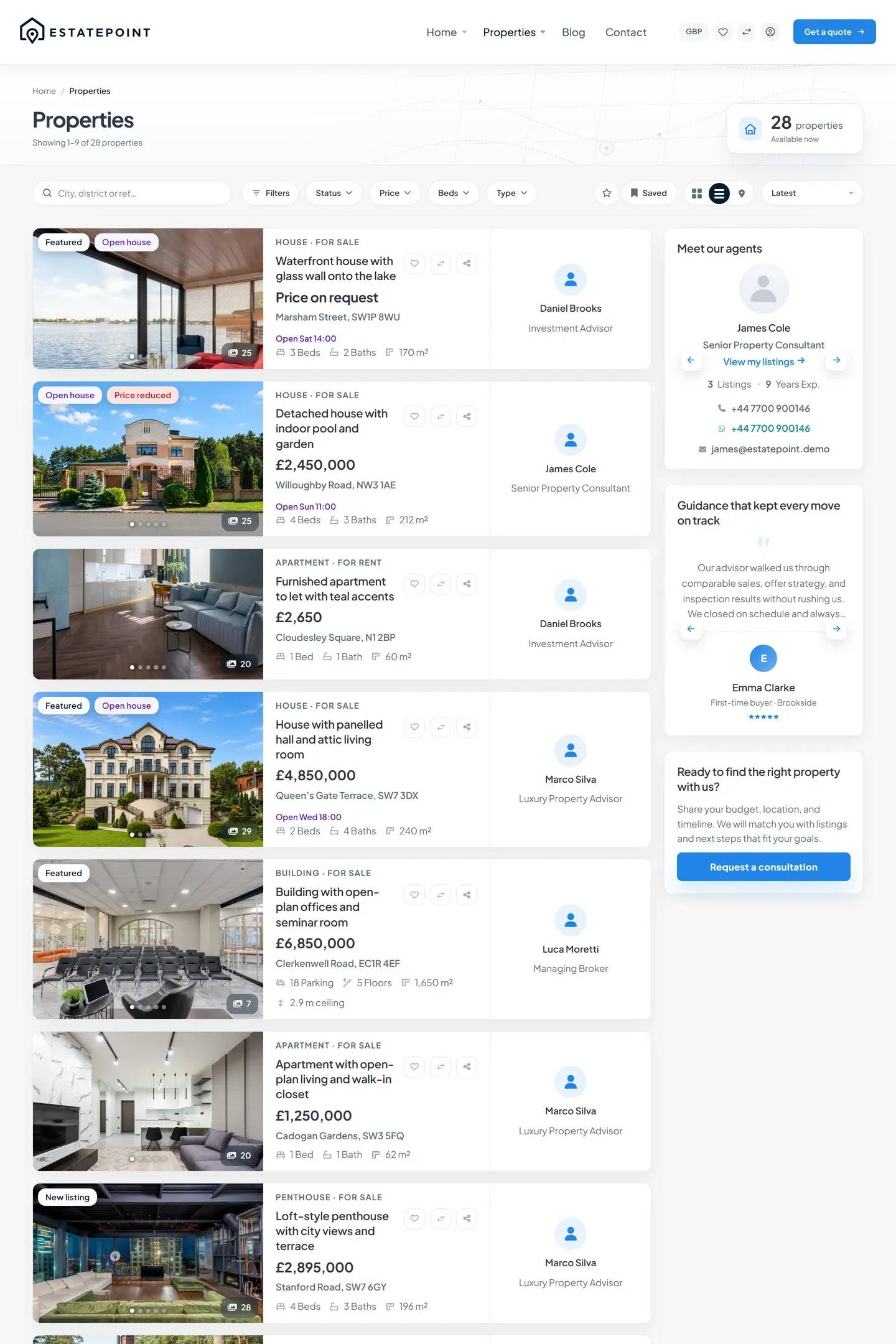
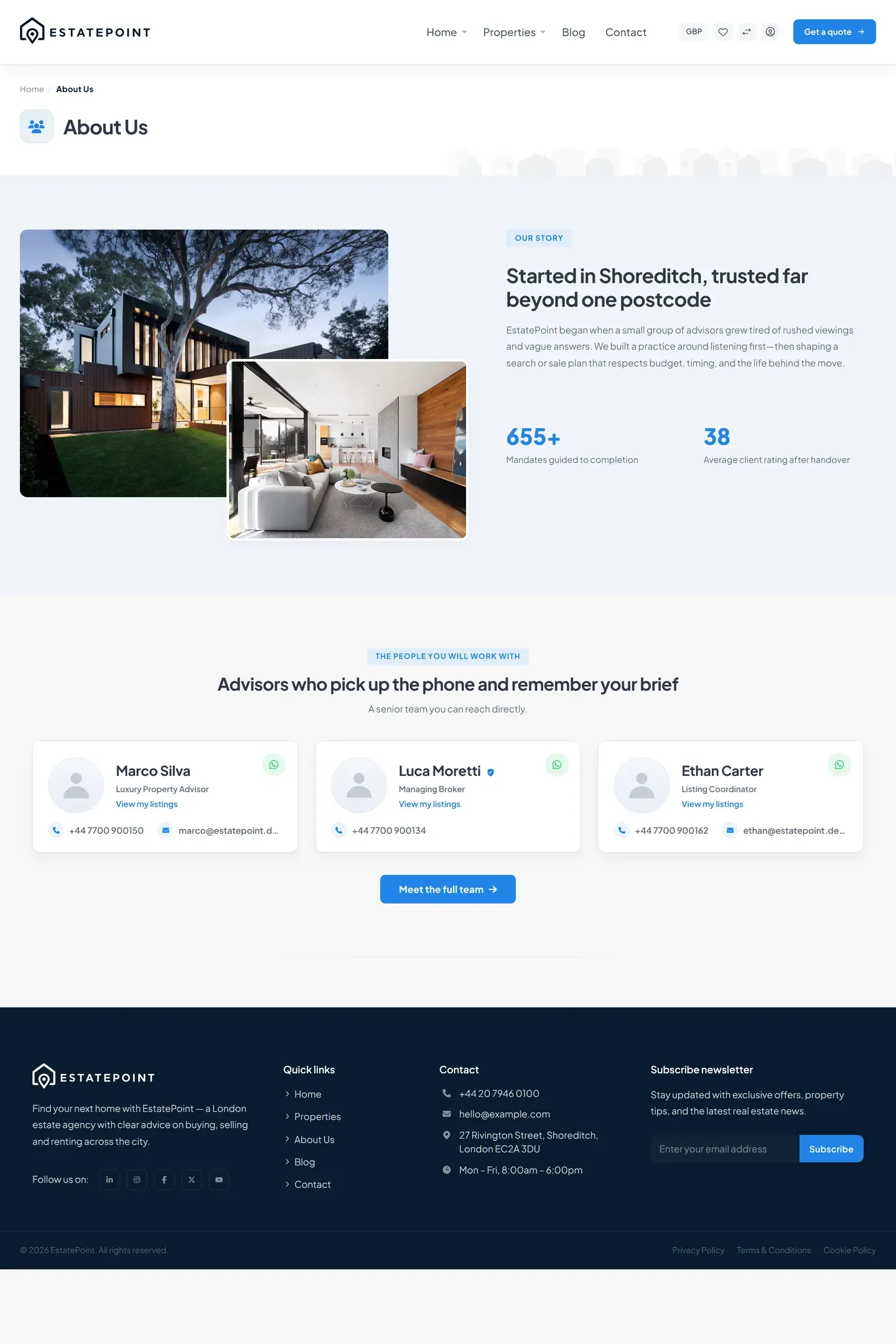
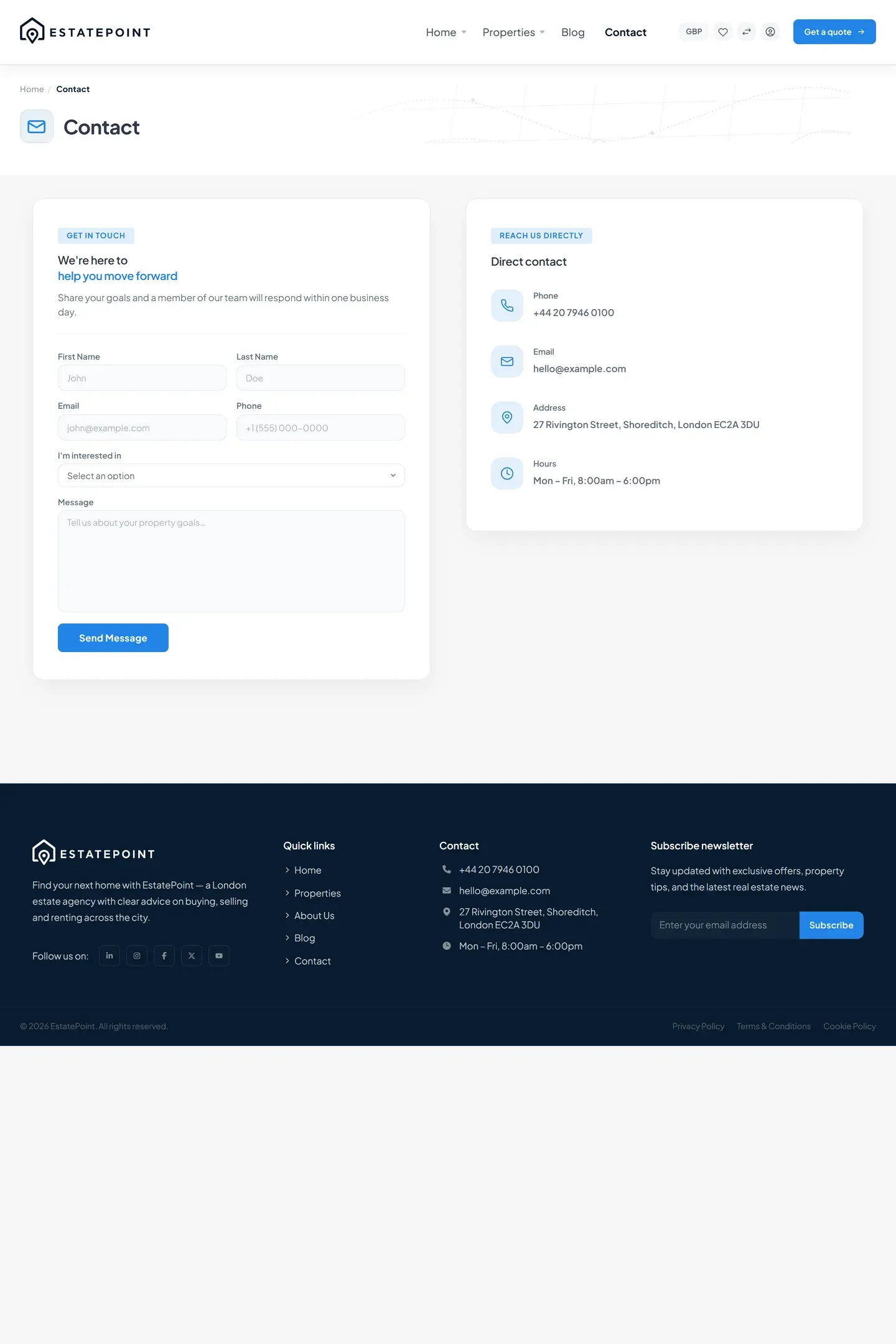
Property search, a split map view, and complete listing pages work out of the box — and every page is built and edited in Elementor.

  • Elementor Pro not required
  • Core plugin included
  • No map API key
  • WordPress 6.0+
60
Elementor widgets across six panel groups
40+
listing fields price, geo, energy, media
3
browse views grid · rows · split map
54
demo records listings, people, stories, posts

What ships

One download, three parts that work together

A theme for the pages, a plugin for the listings, and a demo kit so you never start from a blank screen — built together, so there is nothing to wire up.

  1. The pages

    EstatePoint theme

    Sixty Elementor widgets, the property browse views, header and footer templates, nine page templates, and a front-end dashboard where agents manage their own listings.

    • 60 widgets
    • 9 page templates
    • Agent dashboard
  2. The listings

    EstatePoint Core plugin

    Properties, consultants, testimonials, and inquiries as real WordPress content, with 41 listing fields edited through Advanced Custom Fields and an inquiry inbox in wp-admin.

    • 4 post types
    • 8 taxonomies
    • 41 listing fields
  3. The starting point

    Demo kit & child theme

    The same templates, pages, sample listings, and menus the live demo runs on, installed from wp-admin step by step — then edited like any other page.

    • 9 Elementor templates
    • 6 pages
    • Child theme

On a phone

The same site, in one hand

Listings, the map and the consultant panel each have a phone layout of their own — not the desktop page squeezed down. Visitors call from the listing; your consultants answer from the panel.

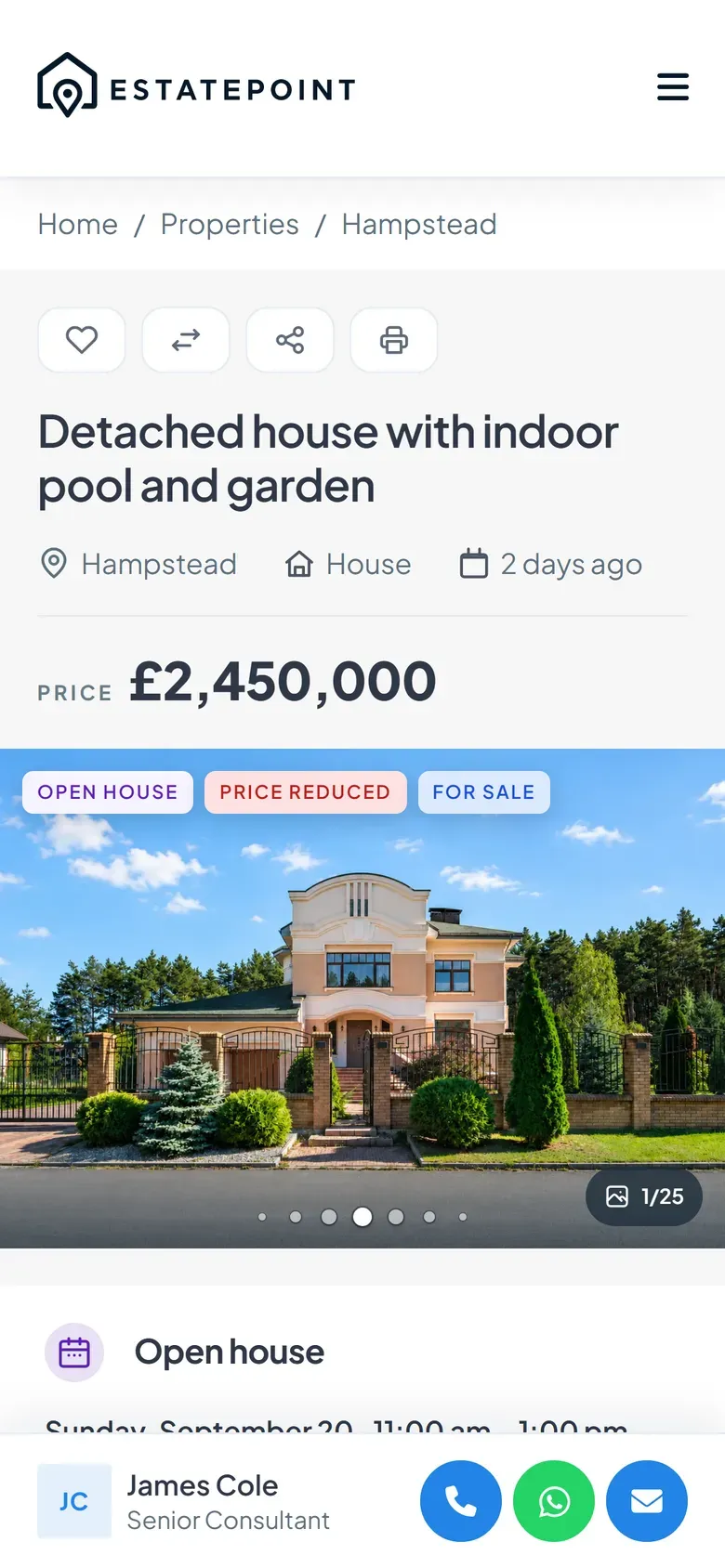
  • A listing on a phone with the consultant contact bar fixed at the bottom

    Call from the listing

    A bar with call and WhatsApp stays at the bottom of the listing, with the consultant’s name and role.

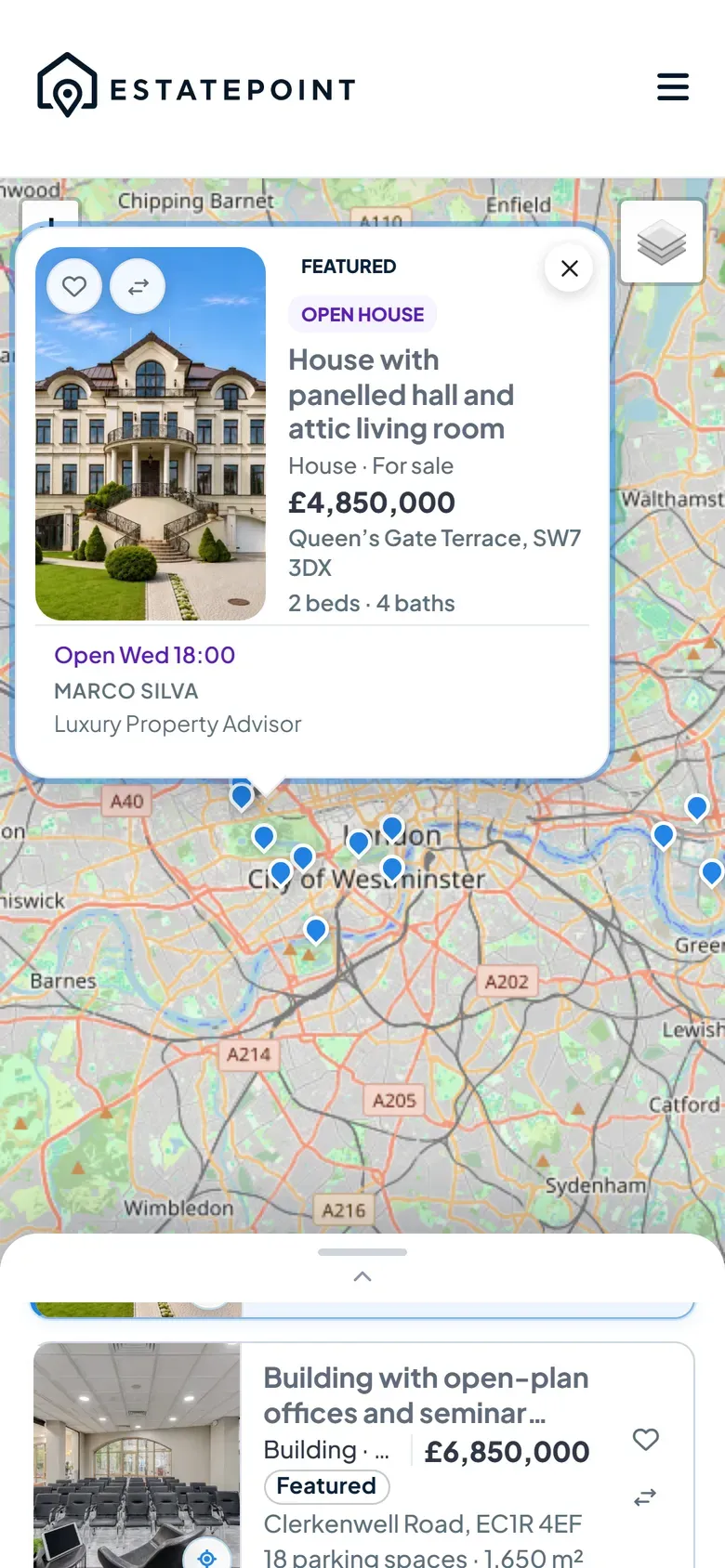
  • The map browse on a phone with a listing card open above the folded results list

    Browse the map with a thumb

    The map fills the screen, the list folds into a strip you pull up, and a tapped pin opens a card you can close.

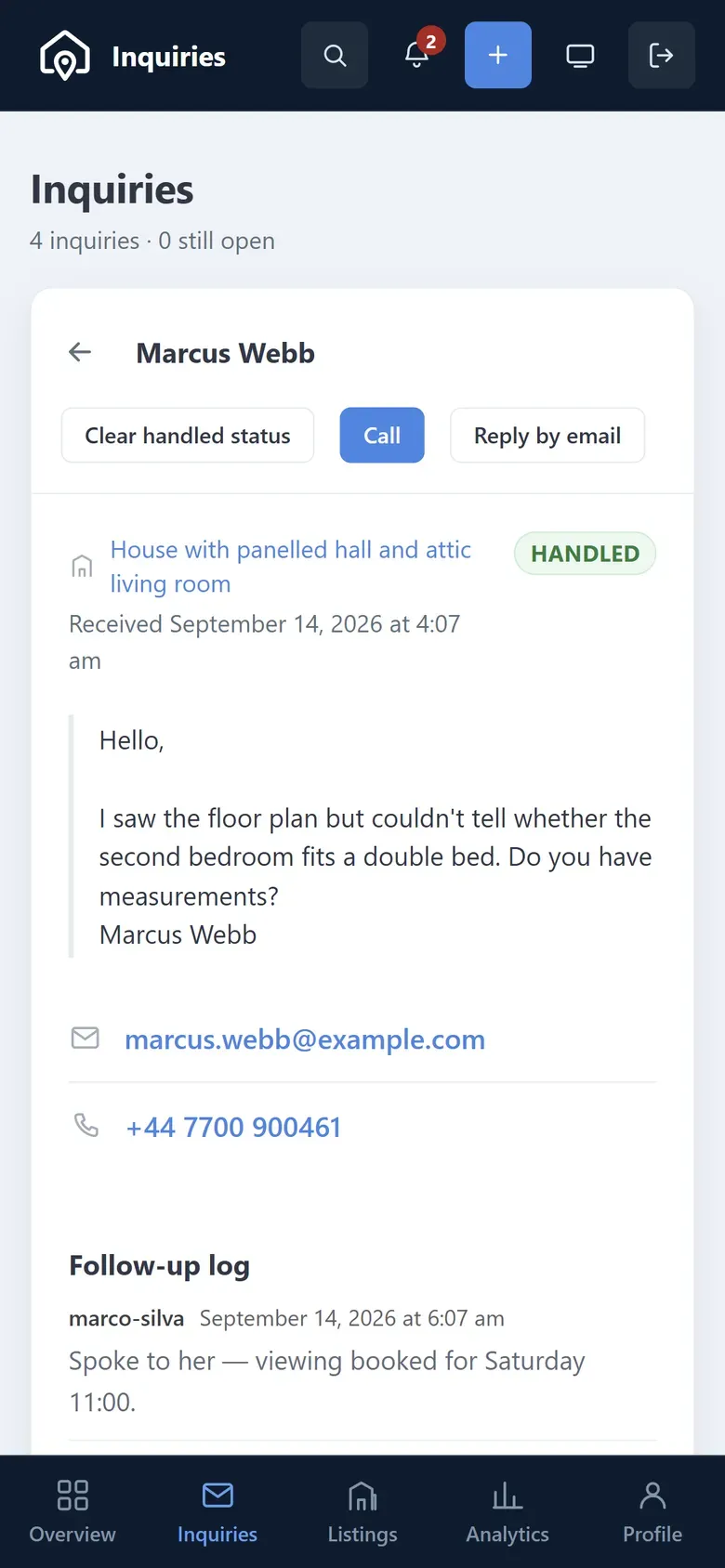
  • A lead opened in the consultant panel on a phone, with call and reply buttons

    Answer a lead from anywhere

    Consultants open a lead in their panel, call or reply in one tap, and log what happened.

Page building

Sixty widgets, in six panel groups

Elementor Free is enough. The whole site — header and footer, homepage, archives, and listing pages — is built from EstatePoint widgets, grouped in the panel the way you actually build.

  • Layouts live in Elementor. Header, footer, archive, and listing-page layouts are ordinary Elementor templates. Theme Options shows which template each area uses and opens it in the editor, so a layout is never split across two places.
  • Works on Elementor Free. Archives, listing, blog, and consultant pages and the 404 render from those templates without Pro’s Theme Builder. If you use Pro, templates built in its Theme Builder are picked up too.
  • No header jump on load. Sticky and transparent header states are set on the server, so the header is already in place before any script runs.
Elementor Free tier is enough
Elements Search widget…
EstatePoint Shell and marketing bands 19
  • Header
  • Footer
  • Masthead
  • Hero Search
  • Hero Map
  • Hero Listings Spotlight
  • Hero Banner
  • Featured Locations
  • Locations Map
  • Listings
  • Team
  • Why Choose Us
  • Testimonials
  • CTA
  • Blog
  • Contact
  • About Section
  • Office Map
  • 404 — Not Found
Single Property Listing page blocks 17
  • Breadcrumb
  • Header
  • Gallery
  • Description
  • Overview
  • Energy Performance
  • Open House
  • Amenities
  • Floor Plans
  • Video / Virtual Tour
  • Address & Map
  • Nearby
  • Contact Info
  • Contact & Enquiry
  • Inquiry Form
  • Downloads
  • Related Listings
Sidebar Column companions 11
  • Listings
  • Team
  • Testimonials
  • CTA
  • Blog
  • Contact
  • Office Map
  • Blog search
  • Topics
  • Article list
  • Author
Archive Browse and index pages 7
  • Property hero
  • Property search & filters
  • Property browse results
  • Team
  • Blog
  • Favorites
  • Compare
Single Blog Editorial pages 2
  • Article
  • Related
Single Consultant Agent profiles 4
  • Profile hero
  • Bio
  • Consultant listings
  • Reviews
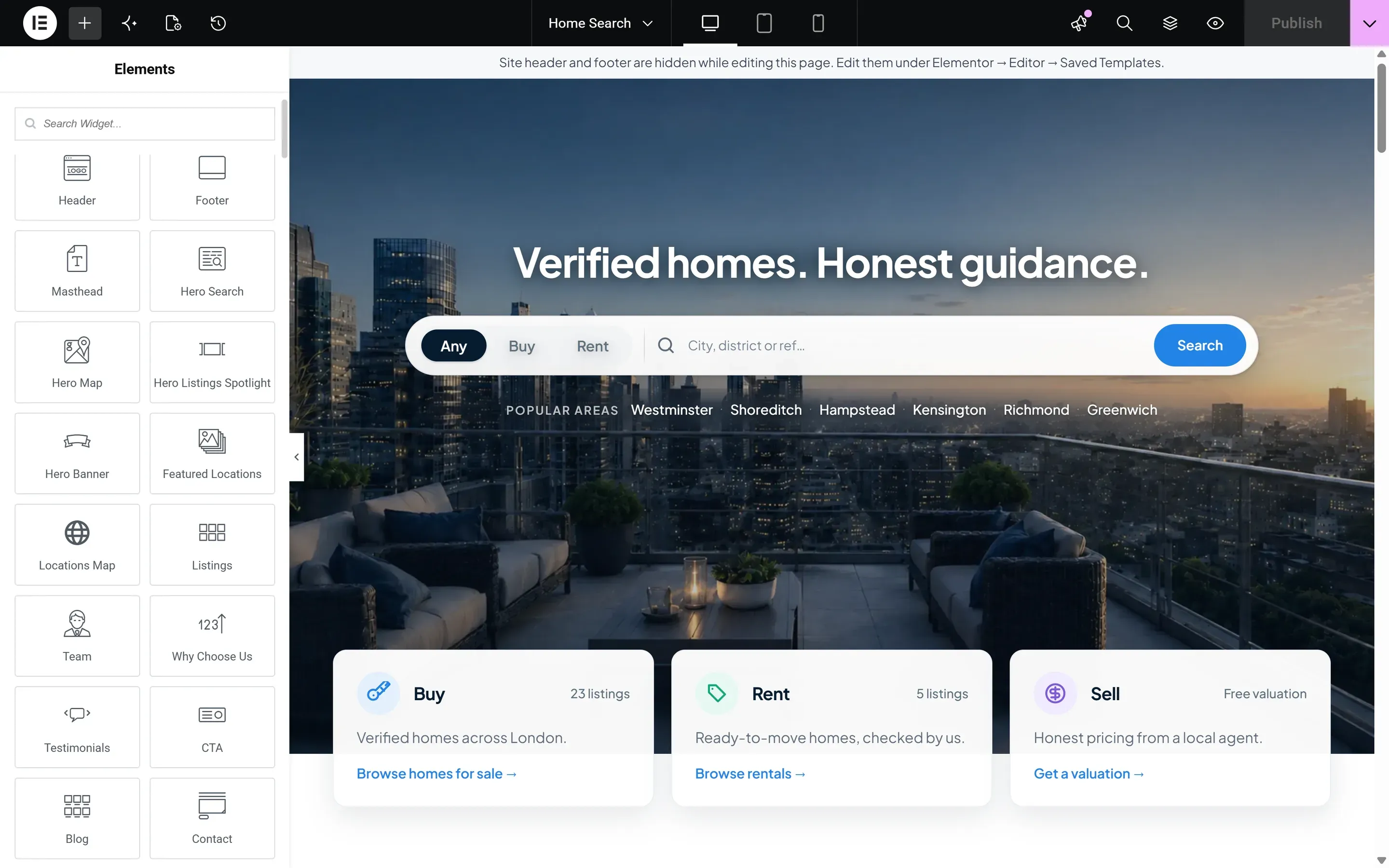
EstatePoint widgets listed in the Elementor editor panel next to a homepage layout

The same widgets, in the editor you already know.

Search the panel for any EstatePoint widget, drop it on the page, and set its content and style without leaving Elementor.

Property browse

A browse experience that behaves like a portal

Grid, rows, or a split map — with filters, sort, and view kept in the web address, so any search can be shared or bookmarked.

Everything a buyer can narrow by

Every filter below is part of the address, so the same search can be linked from a widget, a menu, or an ad campaign.

Type & place

  • category
  • property type
  • listing status
  • location
  • features

Price & size

  • price min / max
  • currency
  • bedrooms
  • bathrooms
  • floors
  • living area
  • lot size
  • parking
  • year built

Extras & sort

  • furnished
  • pets allowed
  • open house
  • featured
  • keyword
  • newest
  • price ↑
  • price ↓
  • title

Price filters convert every listing to one base currency, so a range stays correct when listings are priced in different currencies. On the map, visitors can draw an area to narrow the results, and any filter set can be saved as a search in their browser.

Single listing

Seventeen blocks for one listing page

Build the listing page from blocks that read each listing’s own data, so the page stays right when the listing changes — and a section with nothing to show simply does not appear. The header carries save, compare, share and print for the visitor.

  1. 01 Breadcrumb
  2. 02 Property header
  3. 03 Gallery
  4. 04 Description
  5. 05 Overview
  6. 06 Energy performance
  7. 07 Open house notice
  8. 08 Amenities
  9. 09 Floor plans
  10. 10 Video & virtual tour
  11. 11 Address & map
  12. 12 Nearby places
  13. 13 Contact info
  14. 14 Contact & enquiry
  15. 15 Inquiry form
  16. 16 Downloads
  17. 17 Related listings

One template for every listing — set the layout in Theme Options, override it per listing

  • Right sidebar
  • Full width, sidebar below
  • Gallery in the column
  • Gallery above the content

Behind the site

The admin side is the product too

A property site is only half a front end. EstatePoint Core turns WordPress into a listings back office your team can run every day.

41 listing fields that follow the property type

Price and currency, size and rooms, address and map pin, energy rating, tenure, media, and reference IDs. The fields change with the category, so an office listing never asks for a garden.

  • Residential garden area · balcony
  • Commercial ceiling height · loading docks · floor load
  • Land zoning · road access

Amenities work the same way: 44 ready-made features, each tied to the categories it fits, so a warehouse is never offered a walk-in closet.

  • Nearby places
  • Floor plans
  • Downloads
  • Open house
  • Energy rating

Inquiry inbox with a pipeline

Leads land as records you can work through: six stages from uncontacted to won or lost, each lead routed to the responsible consultant. A follow-up log under every lead keeps each call and reply with who wrote it and when, and a lead nobody has touched carries a waiting mark until someone does. Export, erase, and optional auto-trash cover privacy requests.

Consultant accounts

A wizard creates the profile and, if you want, its WordPress login. Consultants set their own phone, WhatsApp and availability from the panel, while the verified badge stays yours to grant. Suspend or offboard cleanly, route inquiries to each one, and show approved reviews on public profiles.

Multi-currency pricing

Each listing keeps its own currency. A daily exchange-rate update stores a base price on every listing, so price filters stay correct while visitors switch the currency they see.

Listing operations

Expiry dates that take listings offline on schedule, open-house times that label themselves, an agent role with limited admin access and optional approval before publishing, and unused media removed when a listing is deleted for good.

Agents never have to see wp-admin

The theme ships a front-end dashboard: incoming leads, the agent’s own listings, a listing editor with photo upload, profile editing, and an analytics screen — views, saves and inquiries per listing over 7 to 365 days — plus a bell for new leads, expiring listings and new reviews. Owners see the same numbers across every agent under Properties → Insights. Views are counted without cookies or IP addresses: only a daily total per listing is stored.

Onboarding

From empty install to a finished site

Demo Import in wp-admin walks you through a checklist and installs the same content the demo site runs on — templates first, then records, pages, and menus.

  1. 01

    Install the stack

    Theme and Core, then Elementor, Advanced Custom Fields, and Contact Form 7 from one Required plugins screen. Save permalinks once so browse pages load.

  2. 02

    Run Demo Import

    Templates, sample content, pages, and menus, one step at a time from a checklist in wp-admin.

  3. 03

    Make it the client’s

    Brand colors and typography in Theme Options, then edit any band in Elementor.

Also included

Small things, deliberately shipped

The parts nobody writes on the box — and the ones that decide whether a build is still pleasant to maintain six months later.

  • Global search

    Ctrl / ⌘ + K opens a site-wide search from the header, suggesting locations, property types and listings as you type.

  • Favorites & compare

    Visitors shortlist listings on a favorites page and compare up to four side by side, with a switch that hides the rows they agree on. No account needed.

  • Saved searches

    Visitors save a filter set and bring it back from the archive — no account needed.

  • Translation ready

    Every string is translatable, with a .pot file included.

  • RTL support

    A dedicated right-to-left stylesheet and mirrored icons, with numbers that stay readable.

  • Loads only what the page uses

    Each page loads the styles its own widgets need, scripts and styles ship minified, and one switch adds a WebP copy of every image size — originals untouched.

  • Soft activation

    Licensing gates updates and Demo Import entitlements — never the front end.

  • Security hardening

    Login attempt limits and pingback blocking are on by default; XML-RPC, user enumeration, and security headers are one switch away.

Before you buy

Questions we actually get

Short answers to what buyers ask most. Anything longer lives in the docs.

Still unsure? Talk to support or read the docs.

01 Do I need Elementor Pro?

No. Elementor Free is enough — the header, footer, archives, and listing pages all work on it. If you already own Pro, it keeps working.

02 Which plugins do I need?

EstatePoint Core (in the download), Elementor, Advanced Custom Fields, and Contact Form 7 — installed from one Required plugins screen. Core holds the listings, ACF edits their fields, and Contact Form 7 sends the contact forms. Elementor Pro is optional.

03 Where do I change the archive or listing layout?

In Elementor. Theme Options shows which template each area uses and opens it in the editor, so a layout is never split across two places.

04 Does the import include all four demo homepages?

One homepage imports, with the search hero. The other three on the demo are the same page with a different hero widget in the first band — swap that band in Elementor to get any of them.

05 What happens if I re-run Demo Import later?

Existing demo records are skipped, so your edits survive. The property and blog layouts can each be restored to the shipped version from Theme Options.

06 Does it import MLS / IDX listings?

Not in the package. Listings are a standard WordPress post type with documented fields, so a generic importer or a custom integration can write to them.

07 Can agents manage listings without wp-admin?

Yes. The front-end dashboard gives an agent their leads, their own listings, a listing editor, and profile editing. In wp-admin the agent role has limited access, with optional approval before a listing goes live.

08 Does license activation lock the theme?

No. Activation is soft: it unlocks updates and Demo Import entitlements. An unactivated site keeps rendering exactly the same.

Ready when you are

Ship the agency site,
not the plumbing.

Open the demo, skim the docs, then get EstatePoint on ThemeForest — theme, Core plugin, child theme, and the demo kit in one download.

  • Elementor Pro not required
  • Core plugin included
  • Translation & RTL ready
  • Soft activation for updates